
Before diving in
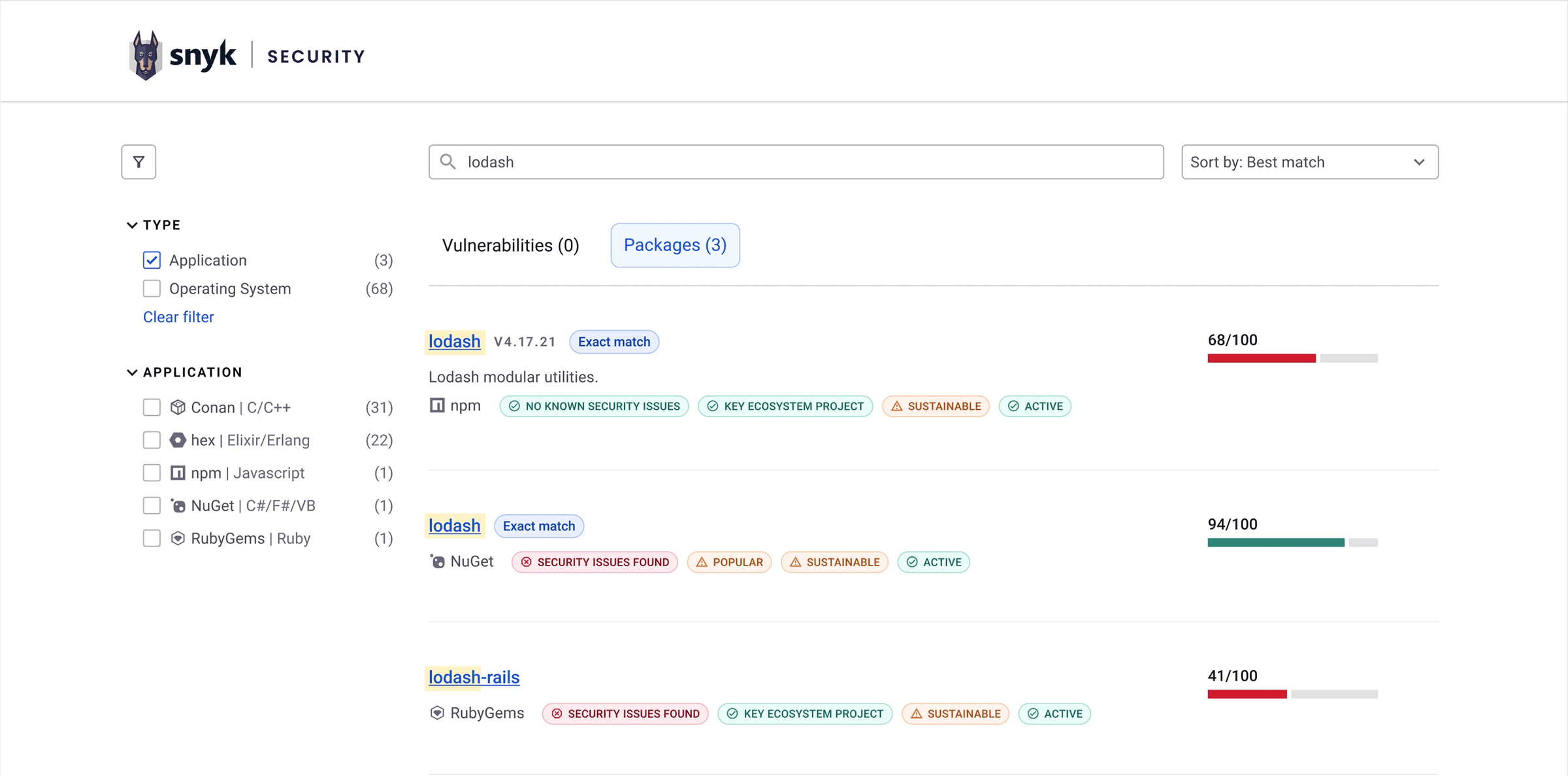
Some of the final designs
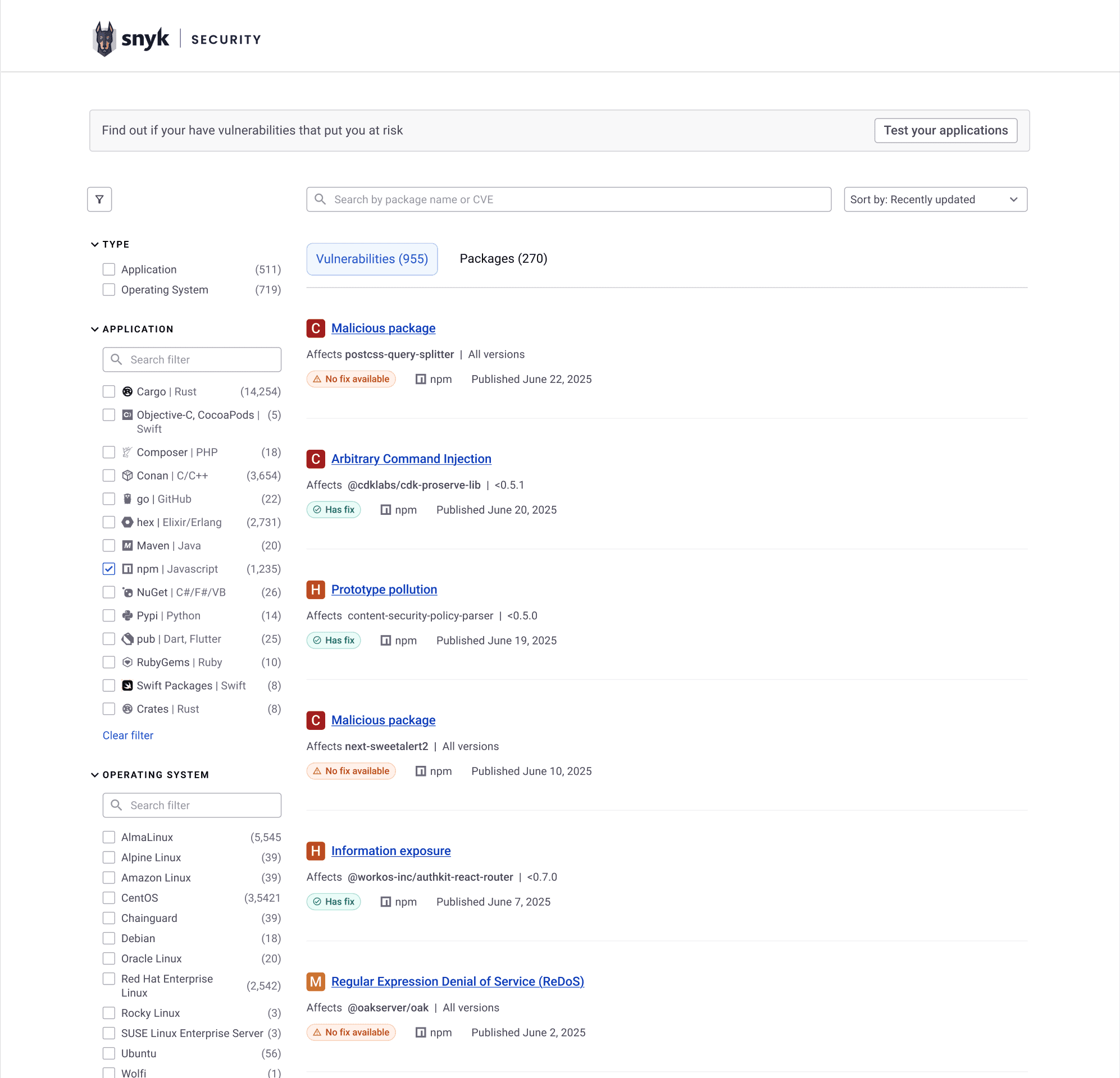
Staying up to date with the latest vulnerabilities discovered
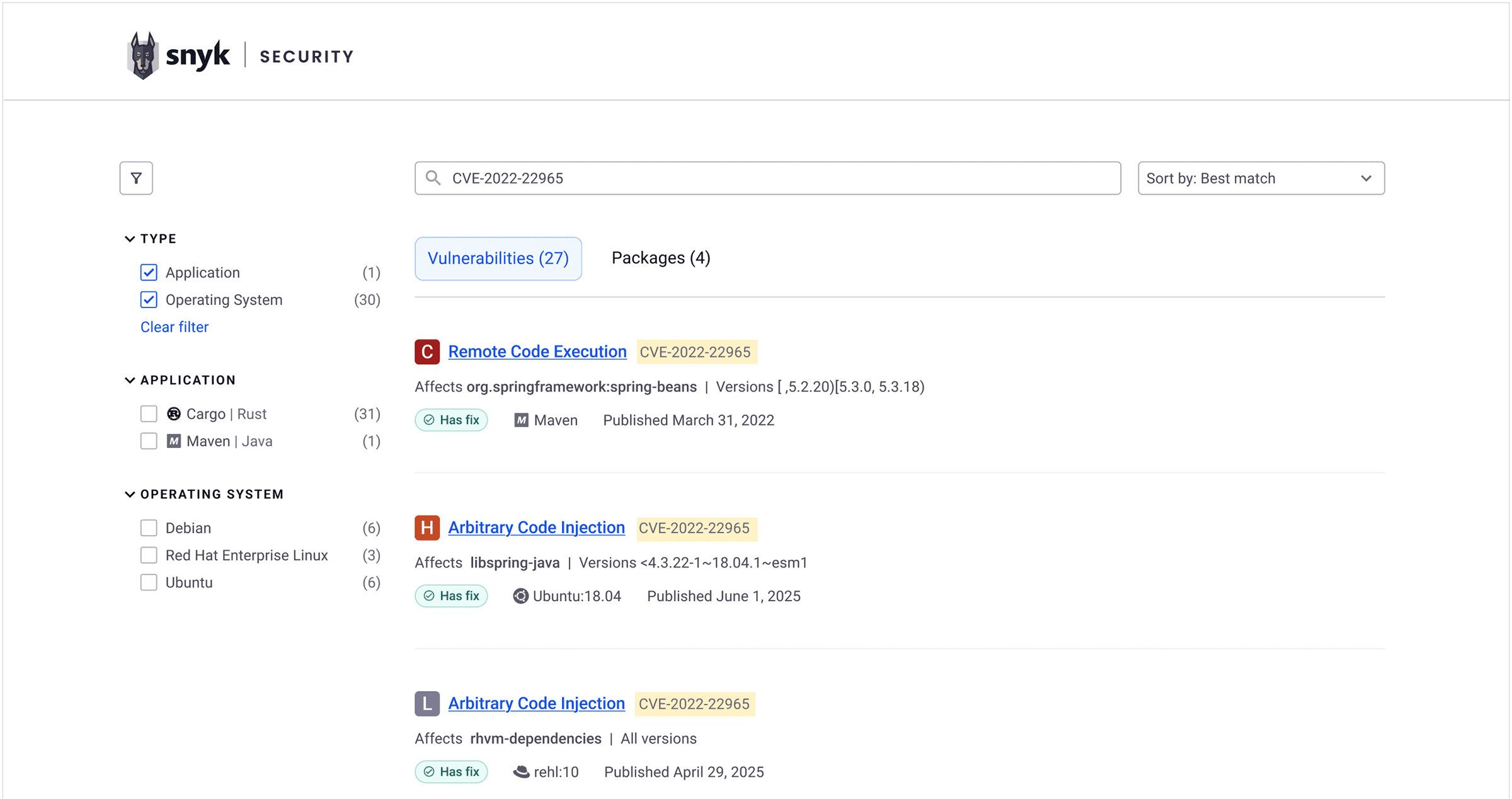
Avoiding vulnerable, risky packages.
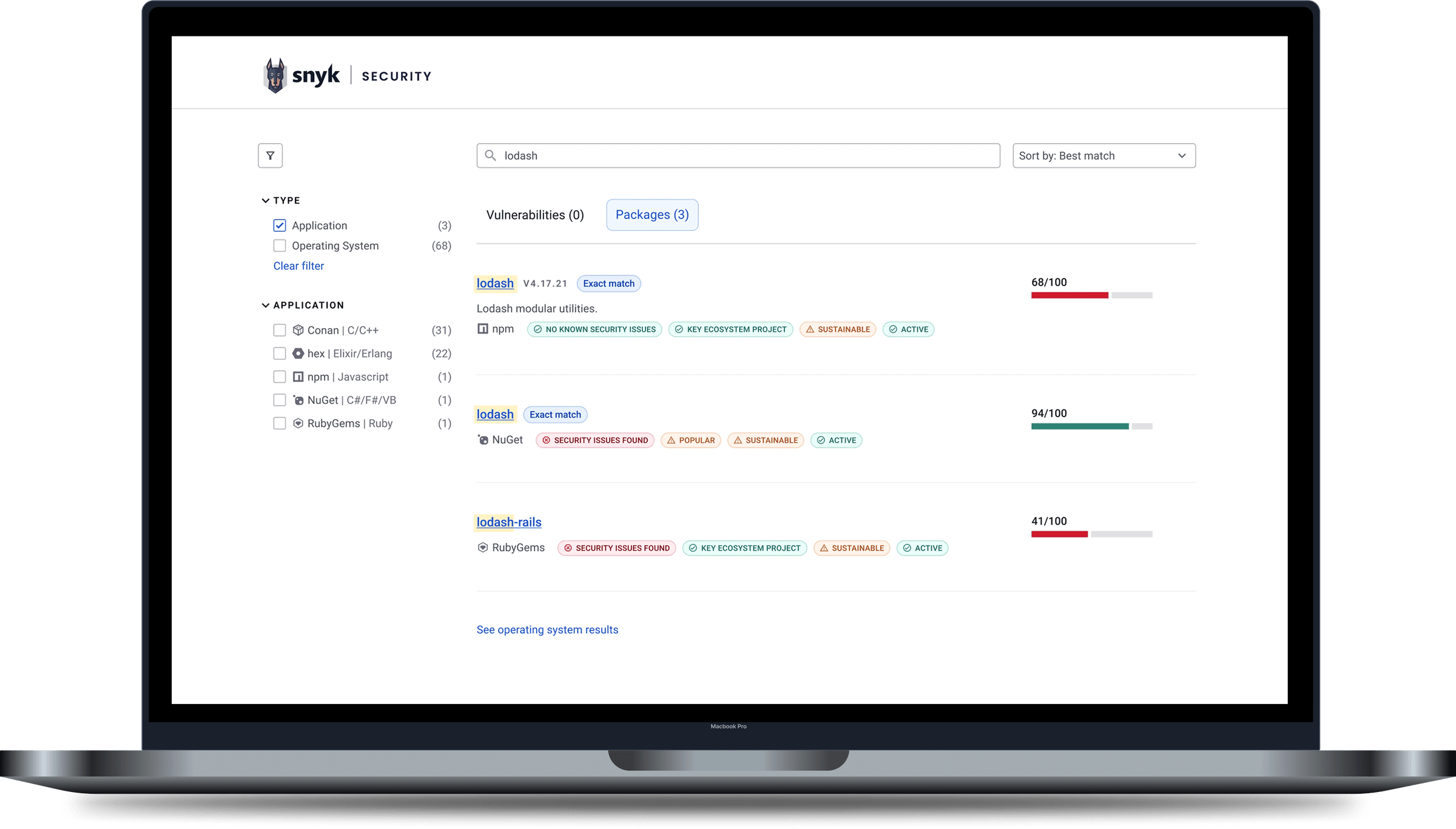
Finding healthy and up-to-date packages to use.
Back to the start
Understanding the problems with the current state
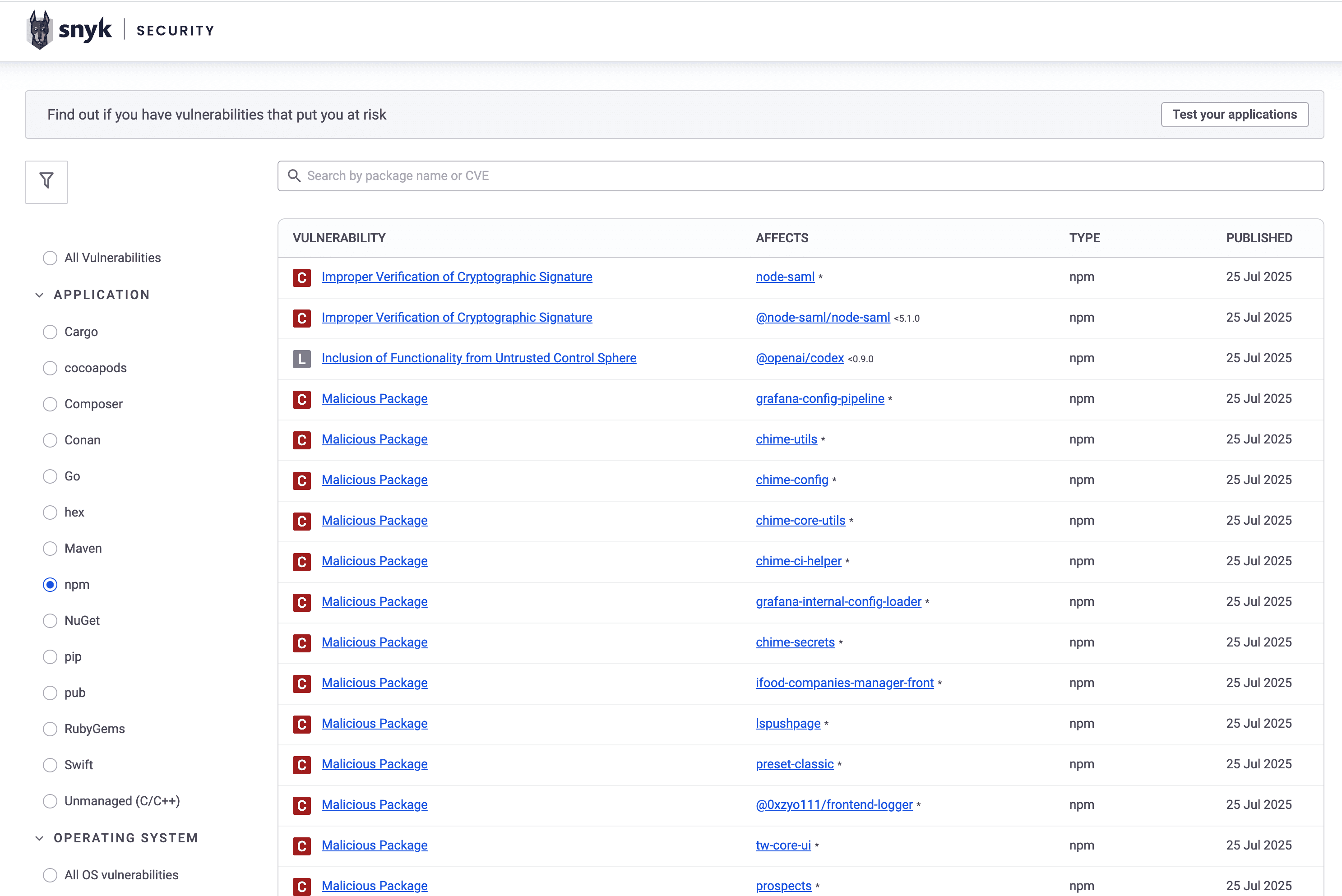
I researched the current state to make sure focus is being put on the right problems:
1. Secure packages are invisible
Results only include vulnerabilities, so packages without known vulnerabilities never appear, even once they're added to the database.
2. Packages aren't standalone results
Searching for a package returns a separate entry for each of its vulnerabilities, so the same package appears many times (see the "Affects" column).
3. CVE searches bury the source
A CVE search returns the package where the vulnerability originated, mixed in with many operating system packages that depend on it. This makes the original source hard to find.
4. Package searches return the wrong packages
Open source packages with similar names crowd the results, hiding the package the user wanted.
Original search design
I identified the key goals derived from the pain points

Find the right result, fast
Help users quickly find and clearly identify the results they're looking for.

Find any package, vulnerable or not
Include vulnerability-free packages in the search results.
Through research, I uncovered three main search scenarios
I need Snyk to help me vet an open source package based on its parameters.
Learning about a new vulnerability
The user (usually an AppSec engineer) discovers a newly disclosed vulnerability and wants to learn about it and the packages it affects.
Evaluating a package
The user (usually a developer) wants to evaluate a package's security status and health before deciding to use it.
Exploring a package manager
The user (for example, a security researcher) wants to explore different package managers to check for newly discovered vulnerabilities.
A logical search flow for each use case
To make sure the designs cater to the user needs, I mapped the desirable flow for each scenario:
Learning about a new vulnerability (searching for a CVE)

Evaluating a package (searching for a package)

Exploring a package manager

The new designs
The new search: a faster path to the right answer
Letting the user goals lead the way, the needed design changes were clear enough:
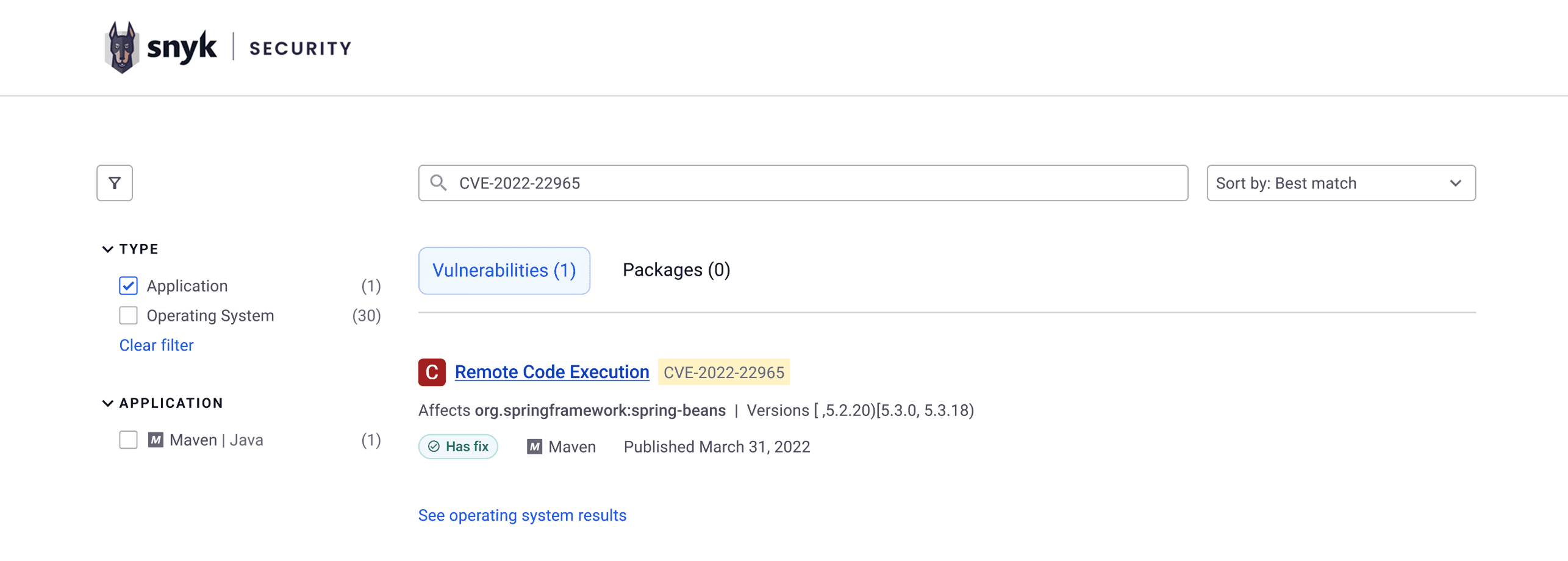
Finding the right CVE faster
- Application filter on by default. Users are most likely looking for the application package, so that result comes first.
- "See operating system results" link added. If the default result isn't what the user was looking for, there's easy access to the rest.
- Severity and "Has fix" added on each CVE. Users can quickly assess the risk and the effort to fix it.
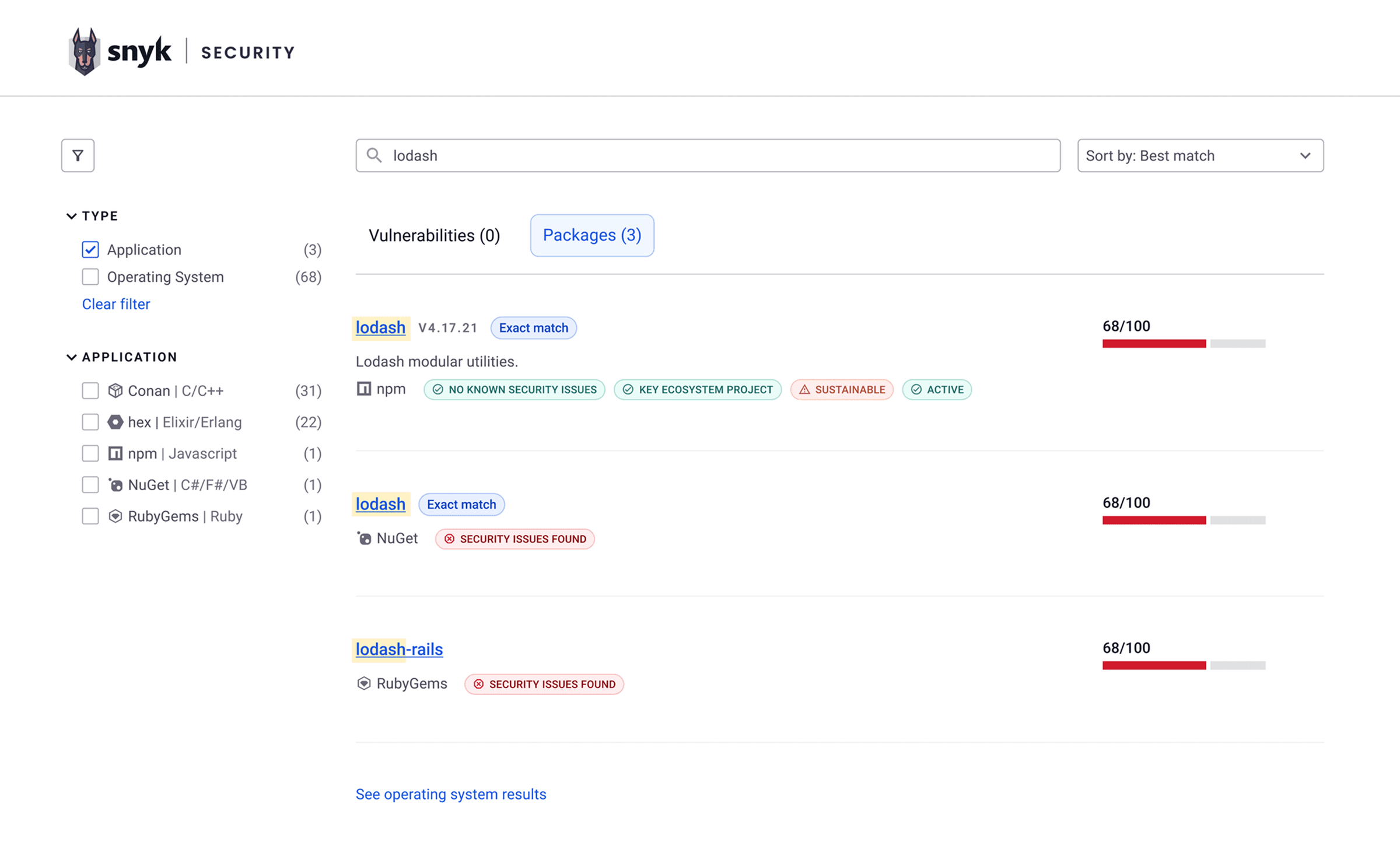
Finding and assessing packages is faster and easier
- Non-vulnerable packages appear in the search. Previously, only packages with vulnerabilities were returned.
- Exact matches are marked for quicker recognition.
- Security status, health score and description added. Users can now assess relevance without opening the package page.
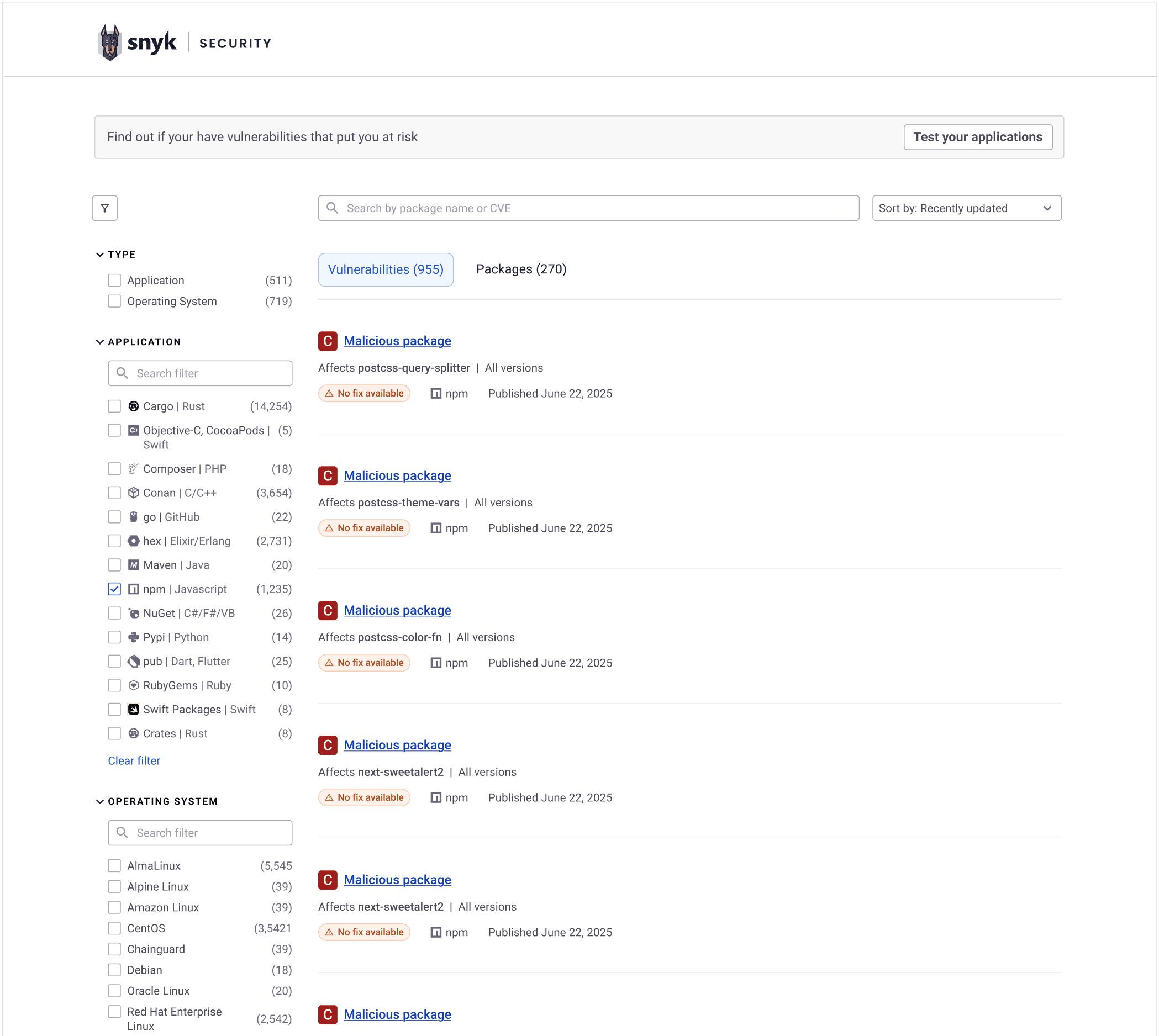
Browsing with a purpose - focusing on the most important information
Whether looking for the most recent vulnerabilities, or browsing to discover new packages, the added information and filtering helps.
It's visible right away which vulnerabilities can be fixed, how packages are affected by them, and how recent they are.
Next steps
Part of a bigger initiative
These designs are part of a broader initiative to include non-vulnerable packages in the Snyk Vulnerability Database, now renamed the Snyk Security Database. I also redesigned the package page to bring in information from other Snyk domains, as well as the homepage to add the latest Snyk branding and several UX improvements. I'd be glad to walk through these on request.