
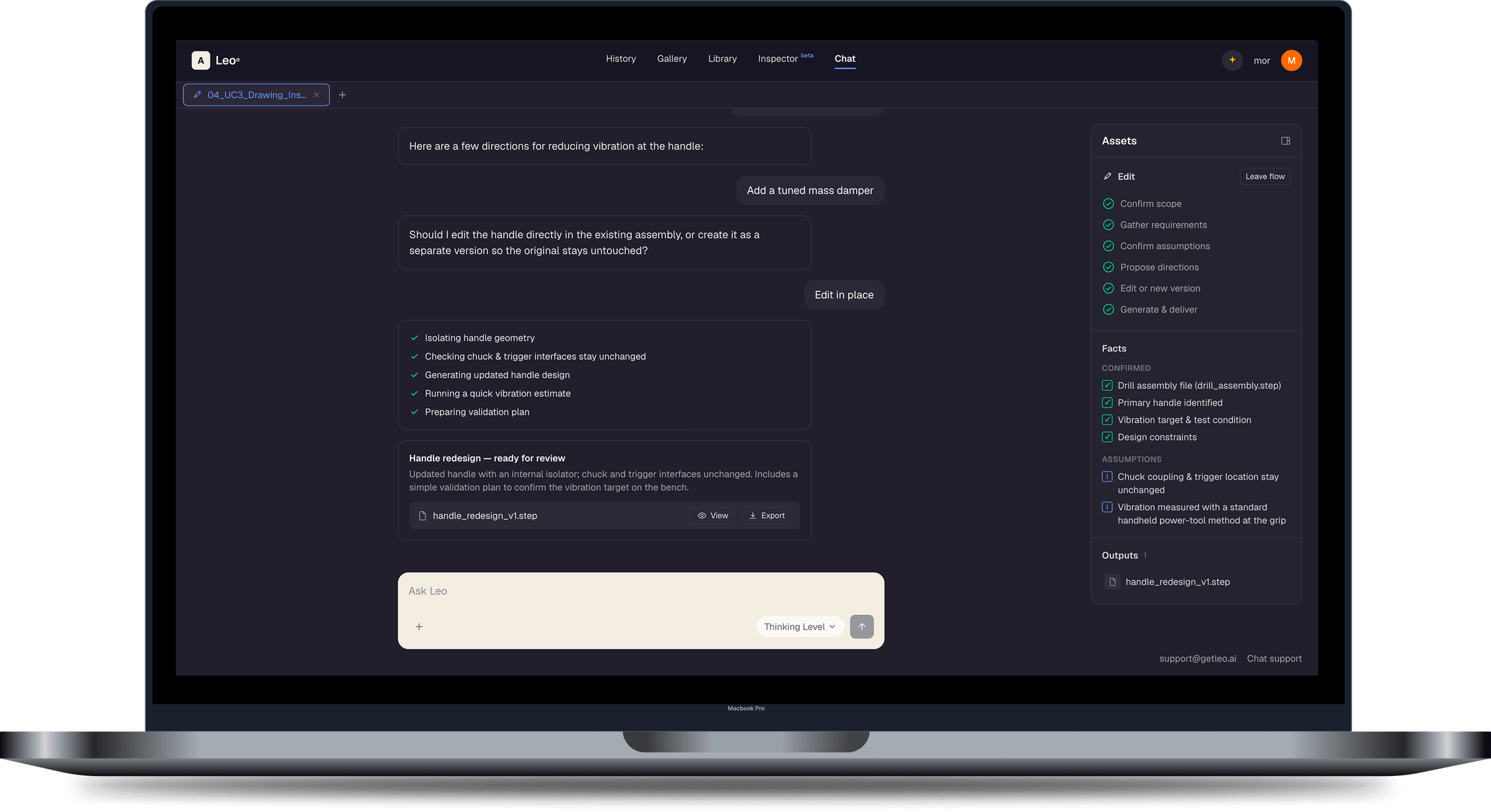

Reviewing the user feedback, a few clear themes stood out
Leo is AI-native: everything starts with a conversation. It's a standard for AI tools, but where does that standard meet mechanical engineers who spend their days using CAD tools, working on drawings, datasheets, and documentation? How might we make Leo more discoverable in the services it provides?
The PM and customer success team collected almost 50 statements from customers, through written feedback and conversations. Across very different product areas, the same questions kept coming up:
Where do I start?
"How do I start a new chat?"
"I don't know how to put [a model file] into the Leo chat."
How do I work with Leo?
"How do I [sync files into the library]?"
"How do I add more [files]?"
Where did my work go?
"I don't know how to see where [my] prompts [are]… I don't see any history."
"Can you ask Leo to provide [the drawing] in the chat? Where?"
Research
I used Leo like an engineer would
Before designing anything, I went through onboarding myself and used Leo for a real task: editing a drill assembly to reduce vibration at the handle. Seeing the product through a new user's eyes made the feedback concrete.
1. The starting point was unclear to me
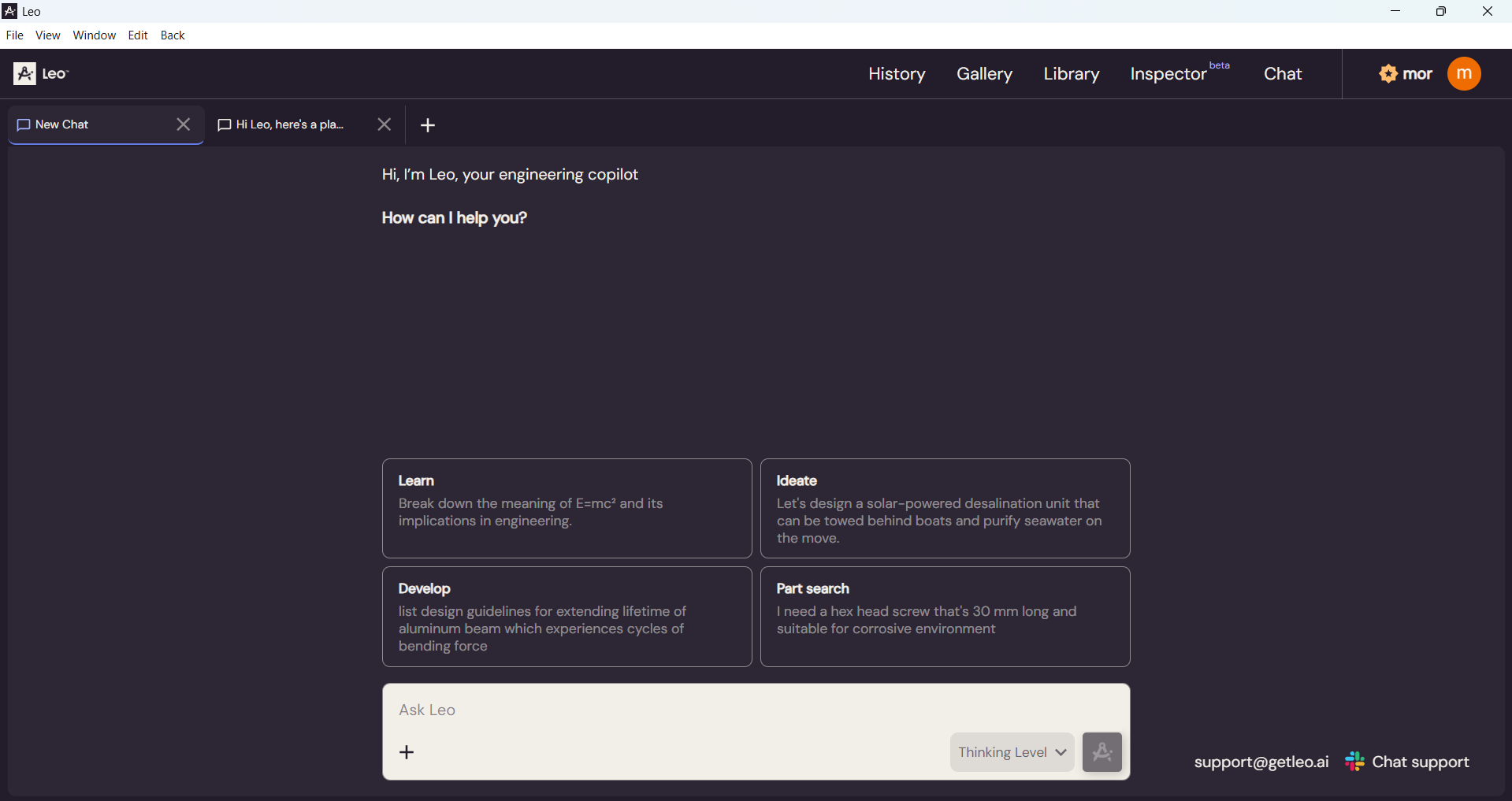
The empty state offered four examples (Learn, Ideate, Develop, Part search). I wasn't sure whether those were sample text examples or available actions, and how they map to the engineering job at hand.
2. Limited visibility into progress
What does Leo still need? What is already understood and what assumptions are being made? This information was available in part when scrolling through the chat, but it wasn't always easy to find, especially as conversations grew longer.
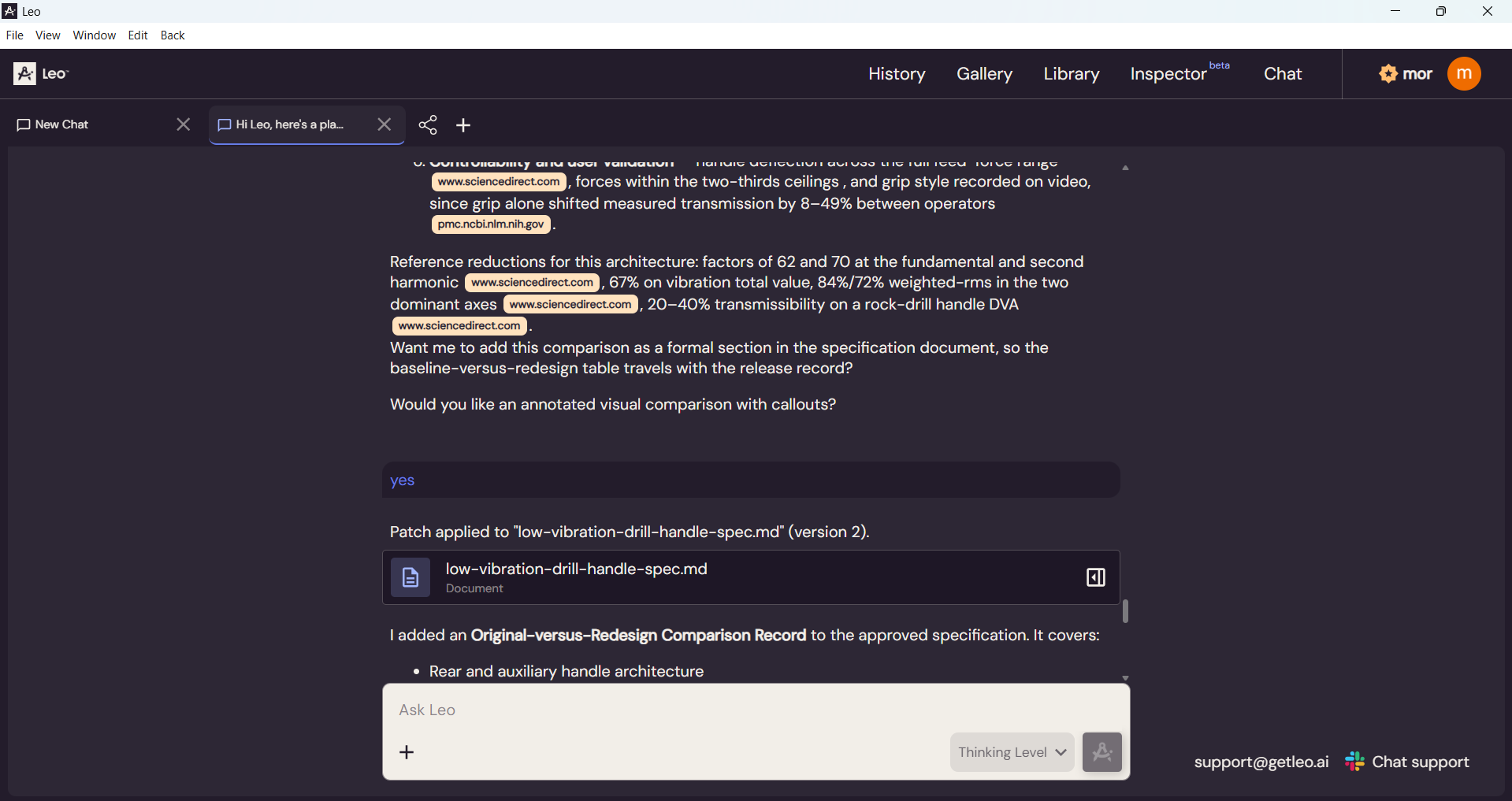
3. Outputs were woven into the conversation
Files Leo created, like CAD models and spec documents, only lived inside the chat. Finding those could mean scrolling back through long answers.
Before: the empty state
Before: an output woven into a long answer
The redesign
From an open chat to a guided flow
I turned Leo's open-ended chat into guided flows built around the main jobs engineers use it for - these can change depending on the customer. A new sidebar keeps the flow's progress, Leo's assumptions, and every output in view, so users always know where they are, what Leo is working with, and where to find their results.
And in more detail
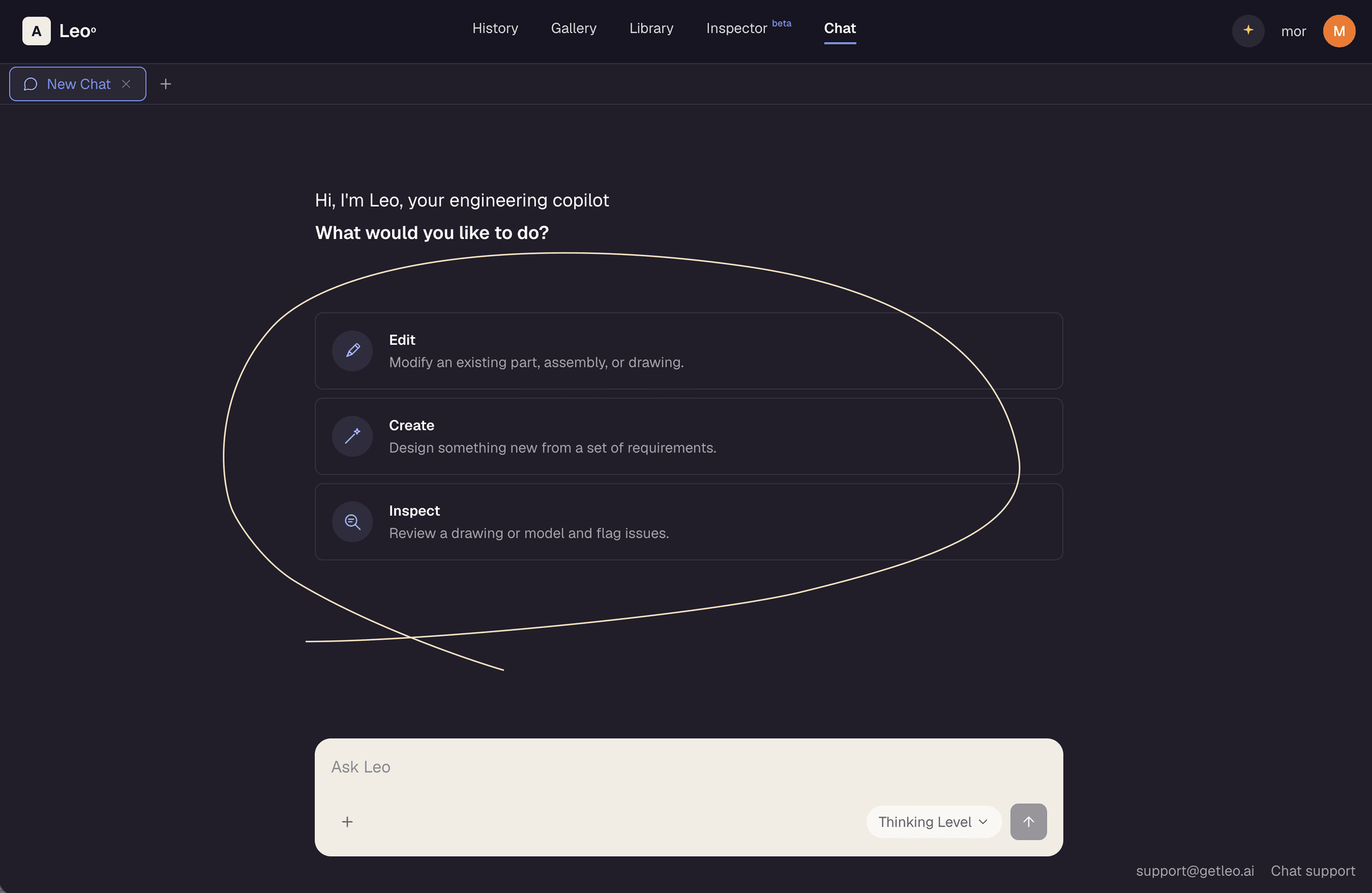
Three clear starting points
By asking users what they want to do, we guide them straight to the value Leo offers. Three clear paths (Edit, Create, and Inspect) match the main jobs engineers use Leo for, so users can see right away what's possible and start without having to think about how to phrase a request.
I put an emphasis on their design as clickable options for better flow and ease of use.
The chat box is still available for anyone who prefers to type, so every user has an easy way in.
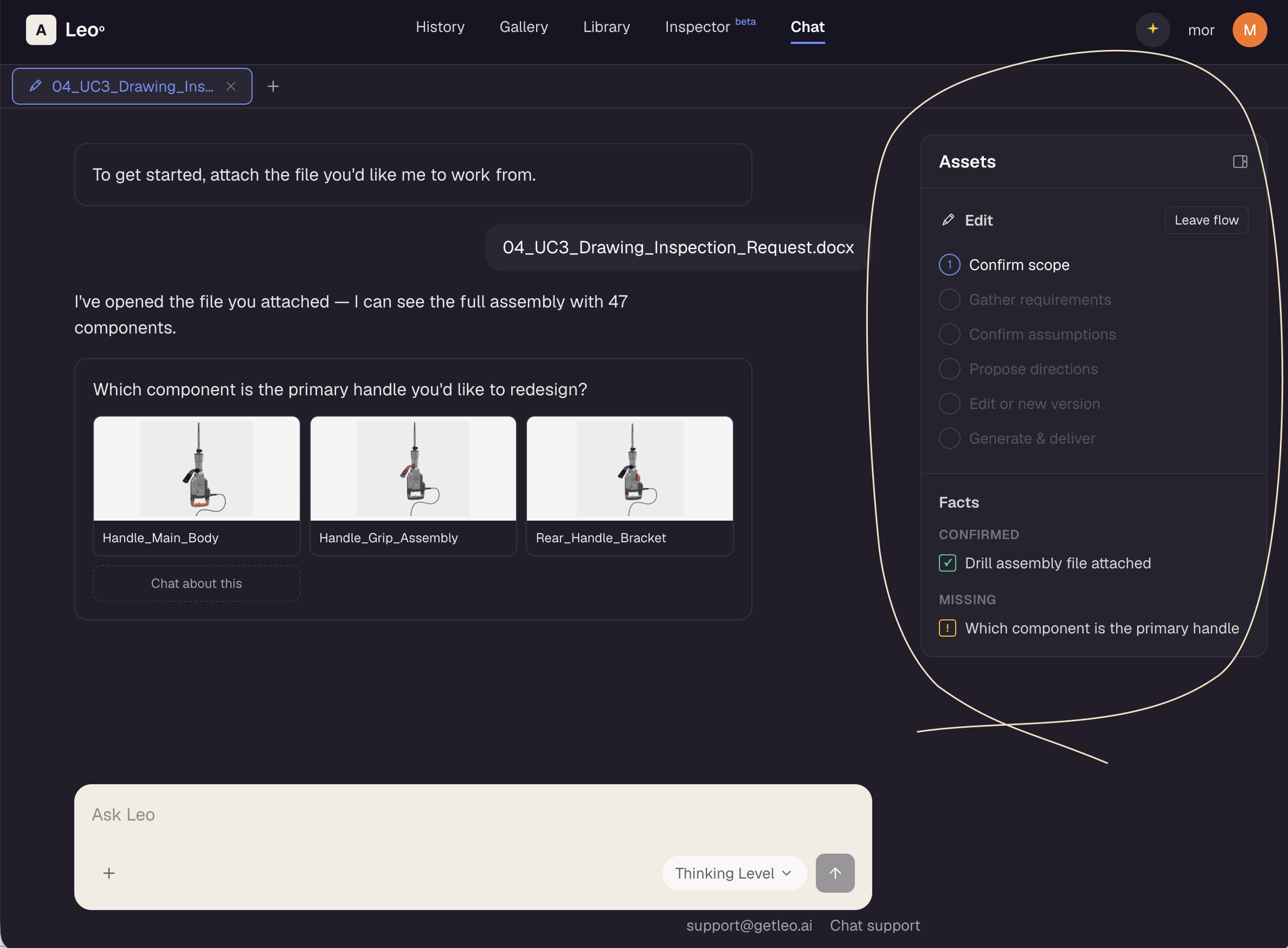
A guided flow, with a way out
Since each flow follows a consistent structure, Leo can show users exactly where they are in the process and what comes next. The experience is more predictable, making Leo's features more visible.
The new sidebar keeps this progress visible at all times. Each step is clickable, so users can move around the process easily instead of scrolling back through the chat.
If a flow no longer fits the user's needs, they can leave it at any point and continue the conversation freely without losing any context.
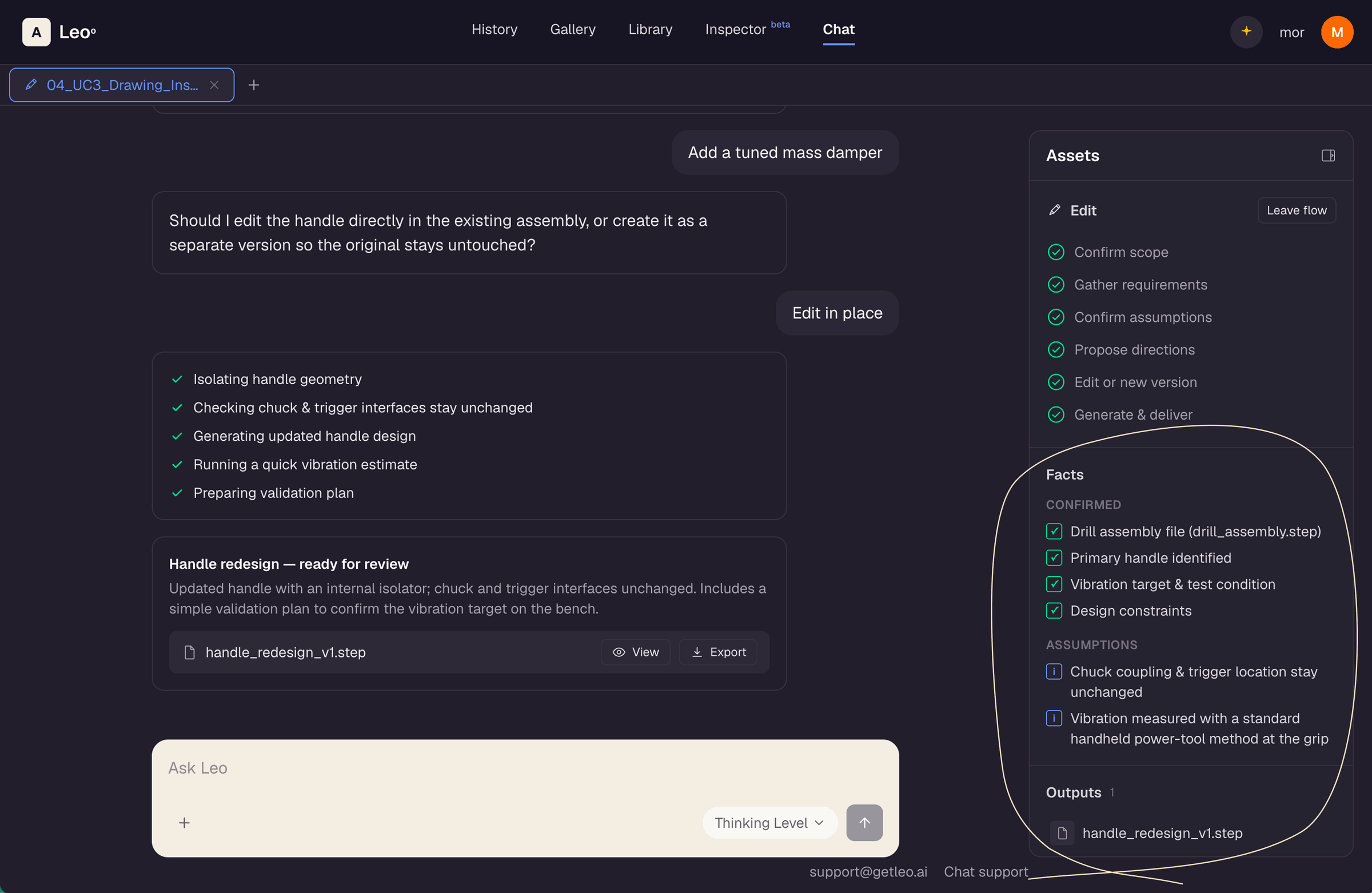
Assumptions and outputs, always visible
Some of Leo's assumptions get confirmed along the way, and others may need checking later. Seeing them clearly helps users understand what each output is based on, and what still needs a second look.
The output files, like documentation and design files, are often the reason users open Leo in the first place. The new sidebar keeps them within reach so they're available without scrolling through the conversation.
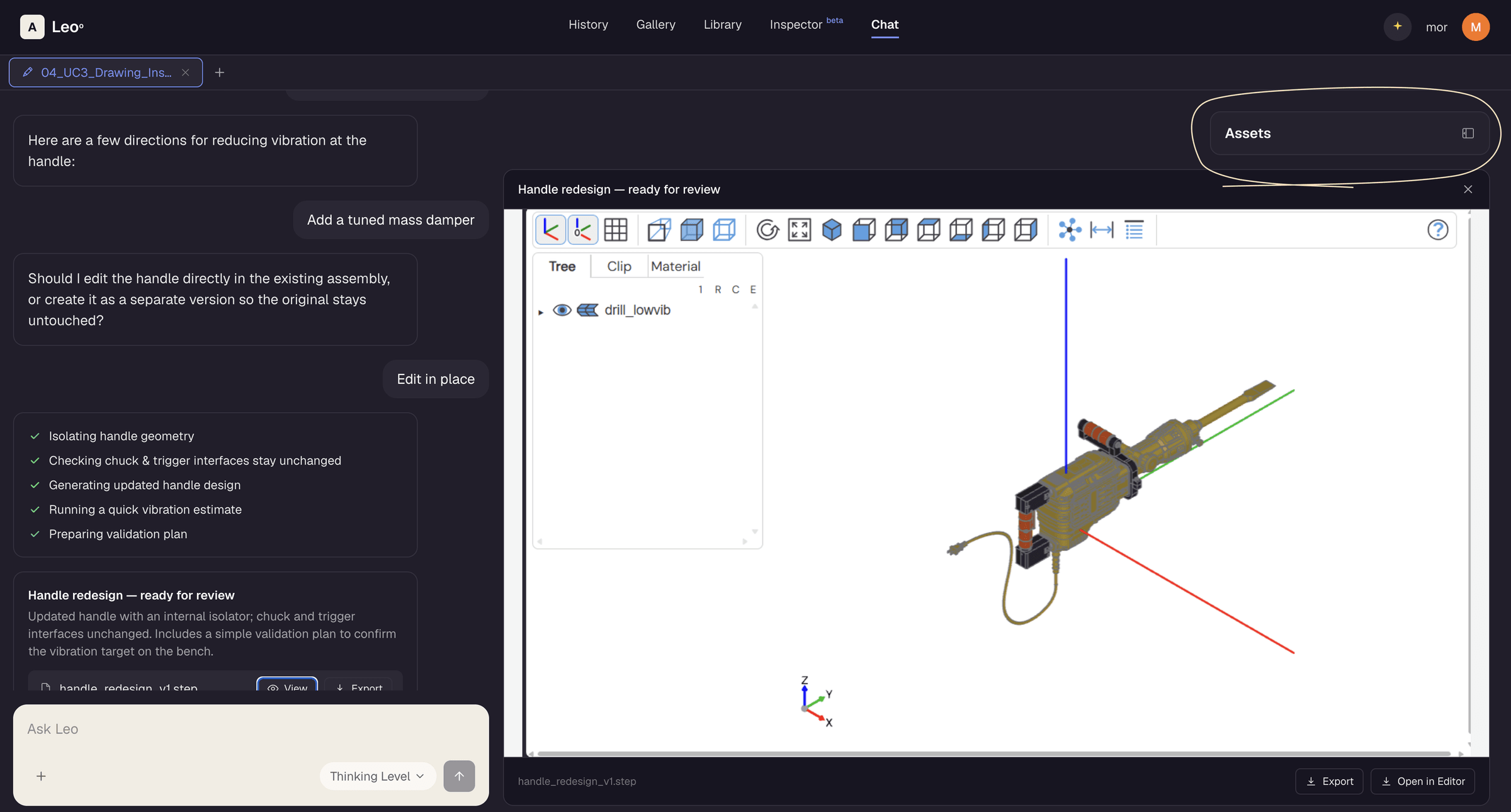
Room for the model
The user doesn't lose context or location when a CAD model opens in the preview. The sidebar folds away to give it space but still remains avaible.
Final thoughts
Leo's power was already there, my role was to make it easier to reach. Starting from user feedback, I designed guided flows, visible progress, and easy access to outputs, turning an open chat into a clear experience users can understand. I made it easy to start and follow a structured process, while keeping the freedom to explore Leo's features.
More case studies
AI Design pipeline
Using Claude Code skills to go from idea to prototype to a workable Figma file.
Read case study →
Enterprise UXIgnore approval workflow
Providing application security engineers with more control over issues being ignored, and developers more agency in ignoring them.
Read case study →