*Asset names, paths, and internal structures have been redacted/changed to protect the company's private information.
How does it work?
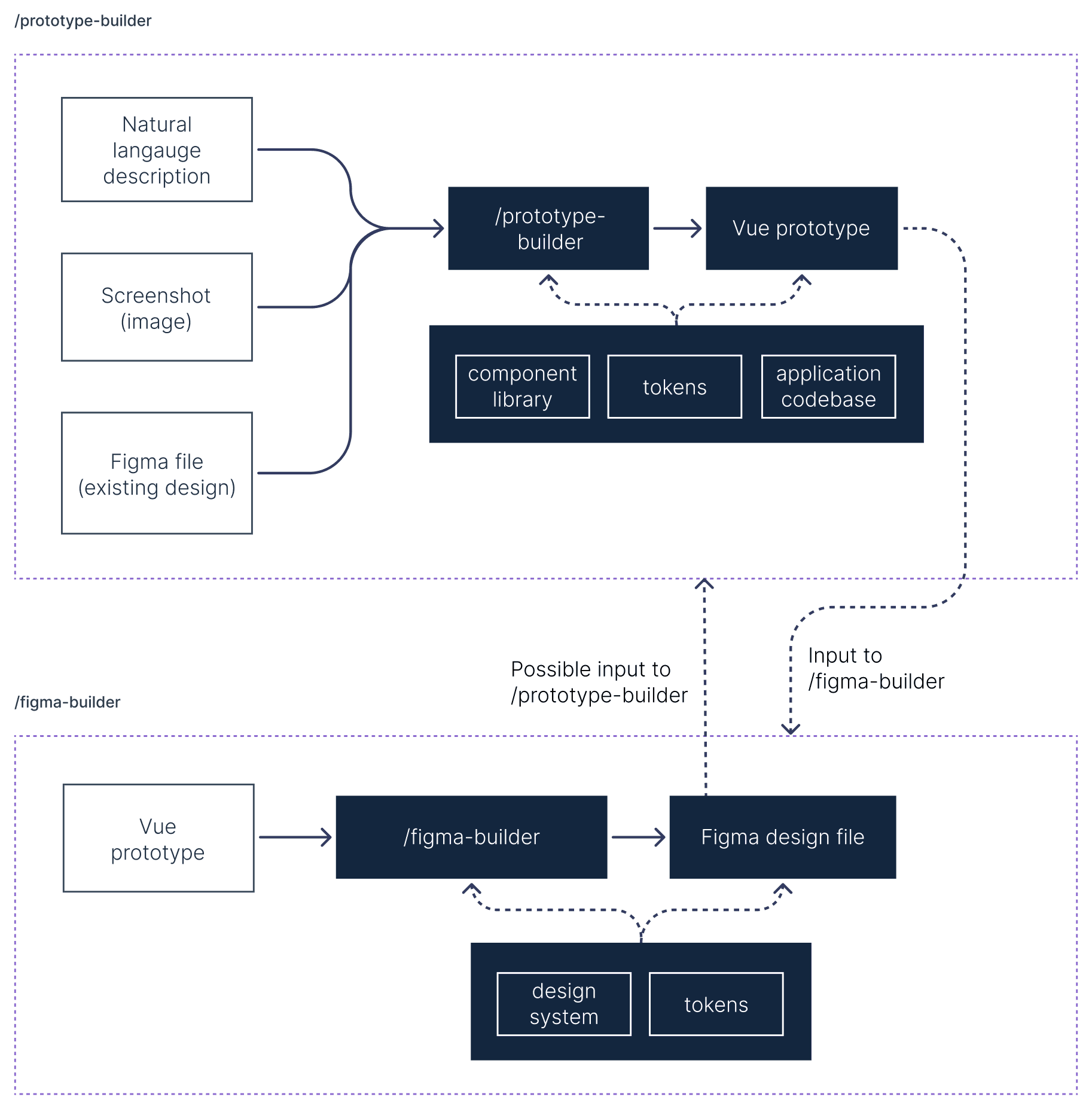
Prototypes and design files complement each other, each strong in a different way. A product creation process can follow different paths depending on the starting point: an idea, an existing Figma design, customer feedback, and more.
The two skills are designed to support each other, as each skill's output can be the input for the other, but they can also work independently. /prototype-builder can receive different types of input, whereas /figma-builder works best when receiving a prototype created by /prototype-builder.
Skill #1: prototype-builder
From description, screenshot, or Figma to a working prototype

Input
A description of the need (in natural language, a PRD file, client feedback and more), a screenshot of an existing screen, a Figma file, or any combination of these.

Foundation
The skill uses clones of the Snyk component library, token library, and application codebase as the foundation for the prototype.

Final product
A prototype using the same page structure as other Snyk pages (or the same one, if the page already exists), with copies of the needed Vue components and tokens, and full context of wider Snyk behavior like hierarchy and navigation.
Evaluation file
- Checks passed/failed (for failures, the skill tries to fix or prompts the user for next steps)
- Changes since the previous evaluation
- Notes on annotations in the prototype: "prototype-only" sections, components used, and more
Design, delivered in code
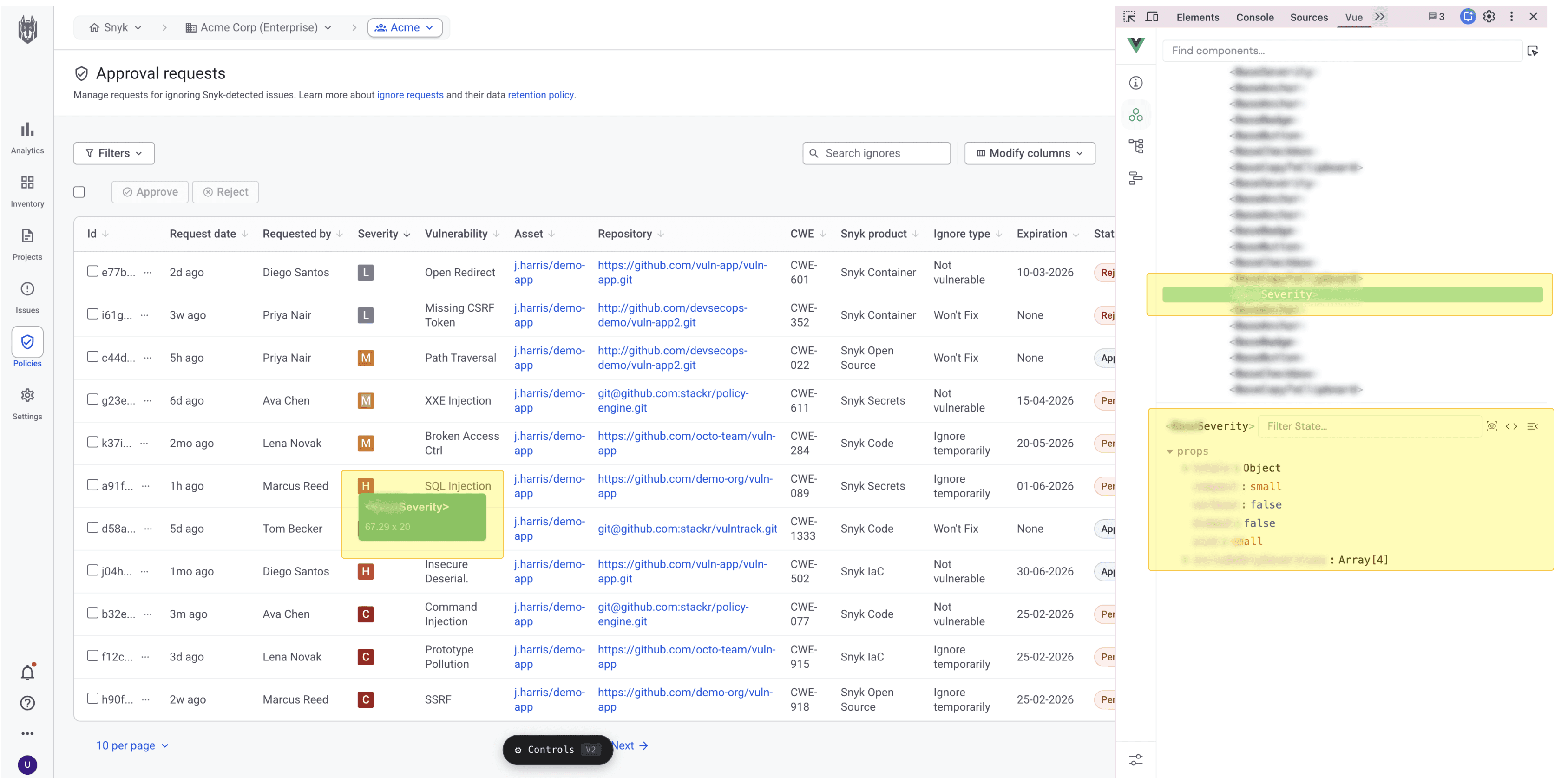
In a prototype created by /prototype-builder, it's easy to see which components are used throughout the page, and in which variants. This is a massive improvement in process:
1. Engineers can feed the prototype to their agents
and instruct them to use the components exactly as is. The names and variants are identical to what the agent would find in the component library, which makes the work more efficient and less prone to errors.
2. Engineers work in a space they know
When learning the structure of a page before implementation, engineers can navigate the developer tools, which they're familiar and comfortable with, rather than working through the design environment.
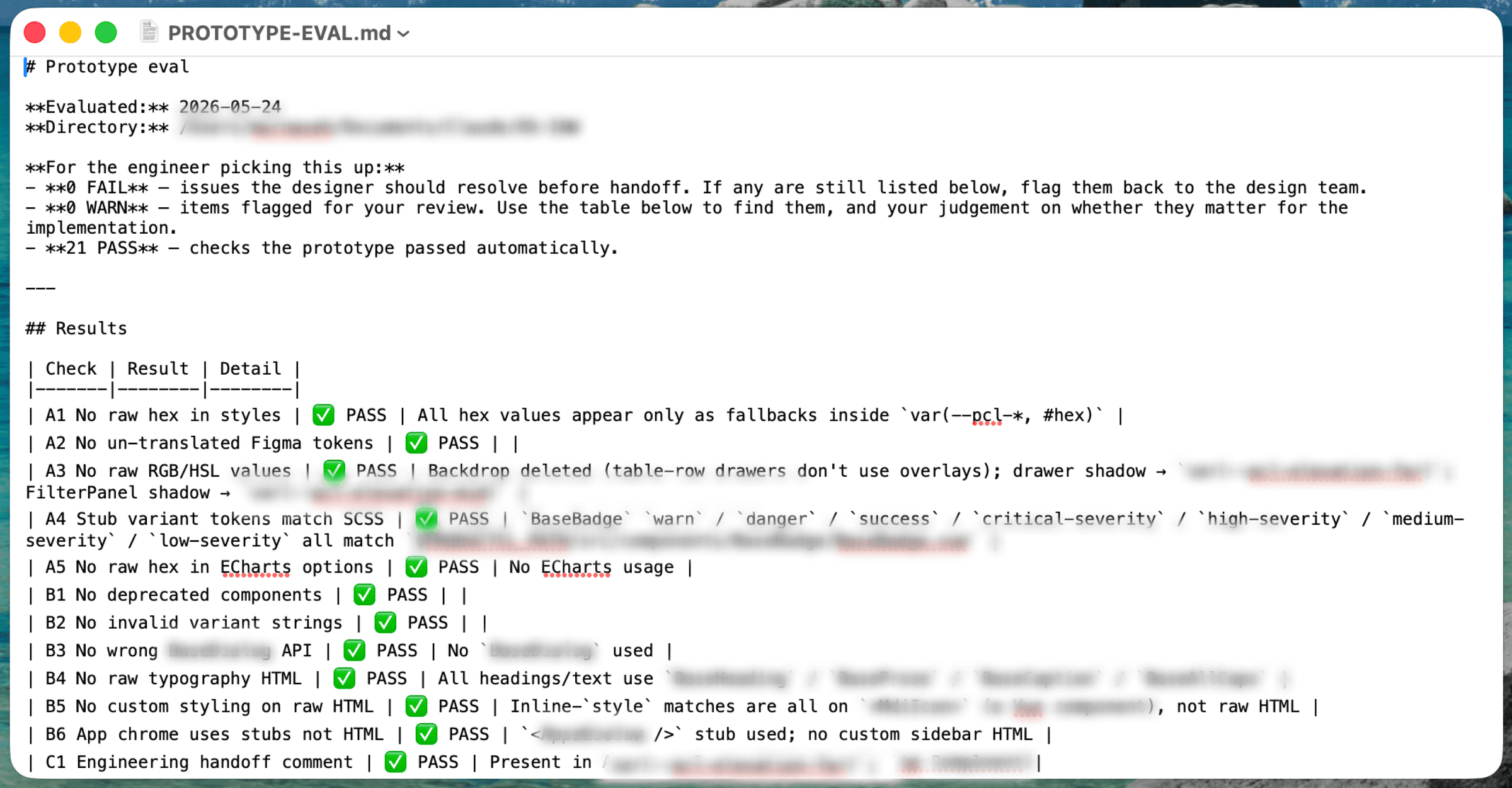
Evaluation file for extra clarity
The evaluation file explains which checks passed or failed, which annotations the engineer should be mindful of, and more.
Testimonial
Design meets product - a powerful tool for PMs
This skill is just as powerful a tool for Product Managers as it is for designers and engineers.
I've often found that the fastest way to align a team isn't another meeting, it's a prototype. Discussing a visual that demonstrates functionality keeps the conversation focused and significantly reduces misunderstandings.
The skill was shared widely and received great feedback from PMs in particular, because of how easy it made it for them to think and express themselves visually, not just in writing. One piece of feedback from a very happy PM:

Skill #2: figma-builder
Prototype in, Figma out - same components, same design system
Input
Preferably a prototype created by /prototype-builder, using the components and tokens from Snyk's component library.
Foundation
The skill translates the components used in the prototype to their counterparts in the Figma design system, using the components and their variants exactly the same way.
Final product
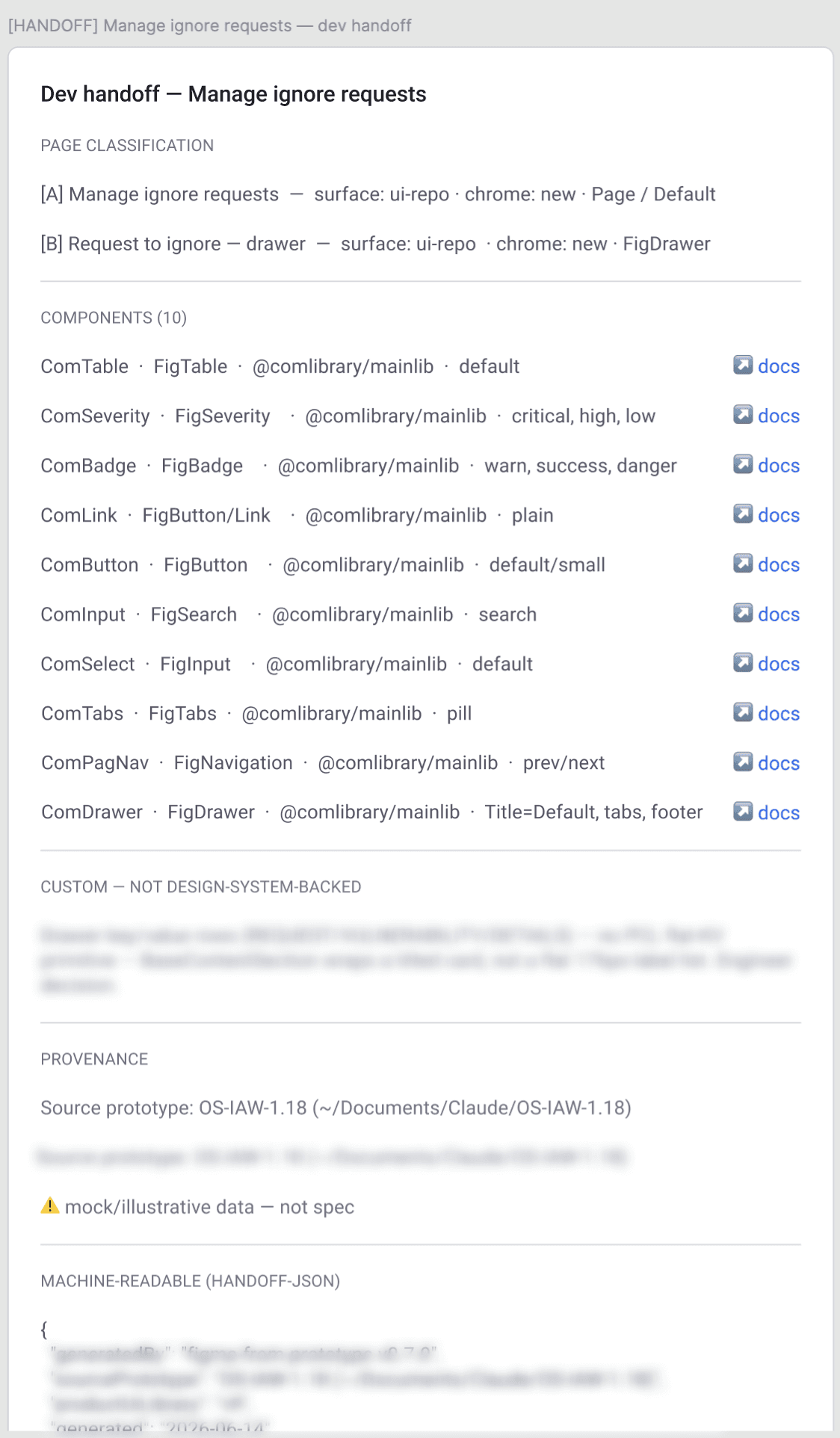
The prototype's pages and sections laid out on a single Figma page, along with a handoff section for the engineer or agent, containing:
- The main parts (pages, modals, etc.)
- Components used
- Skill and product library versions
- Machine-readable JSON of the above, for more efficient agentic work
A Figma file supporting developers and their agents
Here too, the road from design to code is shorter and easier. Engineers can feed the Figma file to their agents and instruct them to use the components stated in the handoff and shown in the design.
The handoff section connects the Figma components to the component library used by engineers, making implementation faster and less prone to mistakes.
Components
Every component used in the design is listed with:
- Name in the component library
- Name in the Figma design system
- The component library containing it (there's more than one)
- States in the design
- Link to the documentation
Custom describes patterns not contained in the design system.
Provenance lists the versions of the relevant assets, for future reference.
Machine-readable JSON is set up so an agent reading the design can easily digest the information in it.
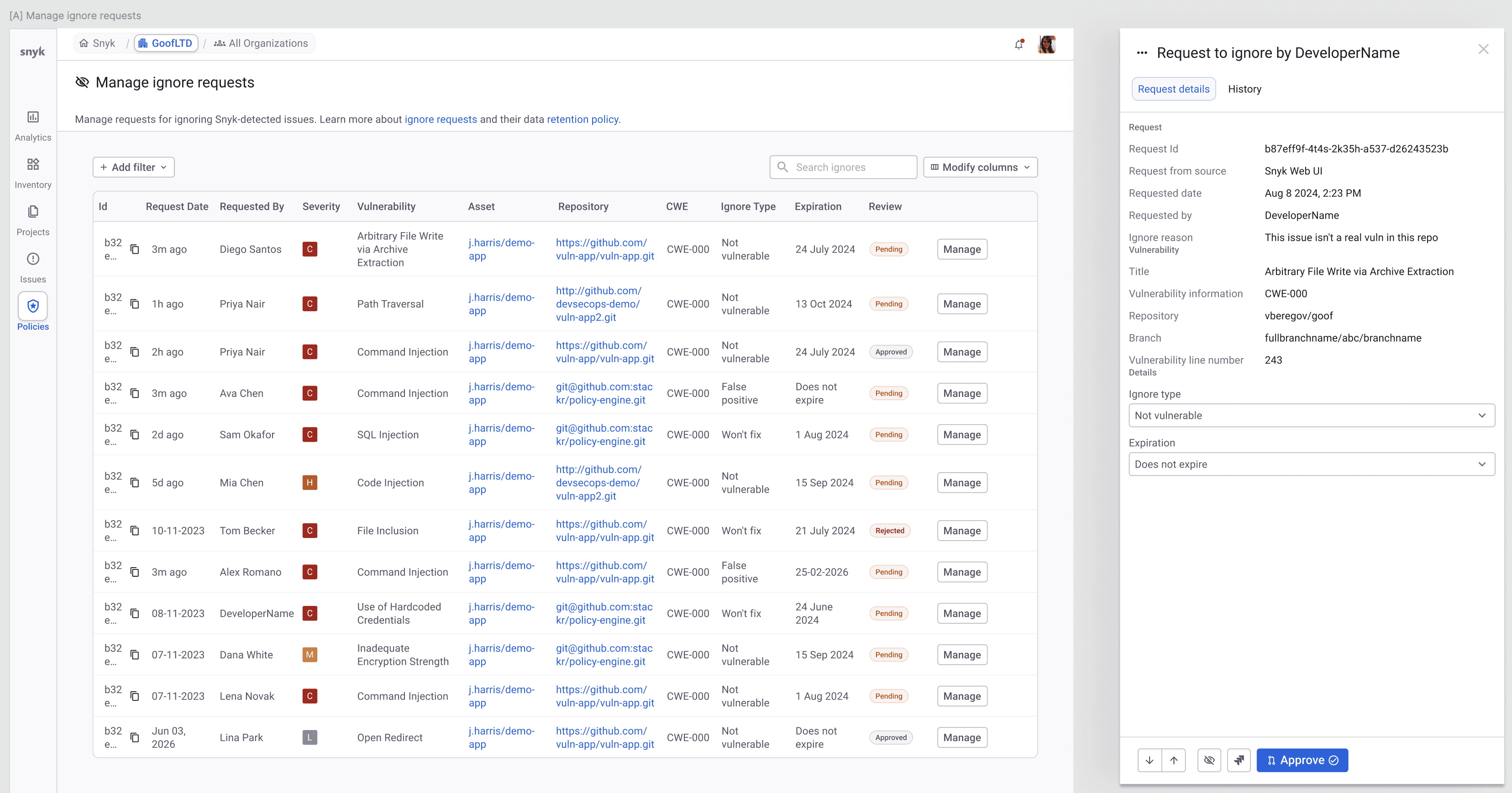
The skill creates designs using the company's design system and layouts
This design was generated by the skill. It replicates the input prototype, and was created with the matching components from the Figma design system.
A complete Figma file for non-designers, and a faster starting point for designers
For people less acquainted with Figma, this skill is a great shortcut. After creating a prototype from their ideas or PRD documents, /figma-builder creates an organized, complete design file using the correct layouts and design system components. They can then edit, annotate, and co-work on the file with colleagues, without needing to be a Figma power user.
Even for experienced designers, letting the skill create the bulk of the work instead of starting from scratch is a great time saver. It's a much better starting point, and leaves time to tackle the more complex challenges.
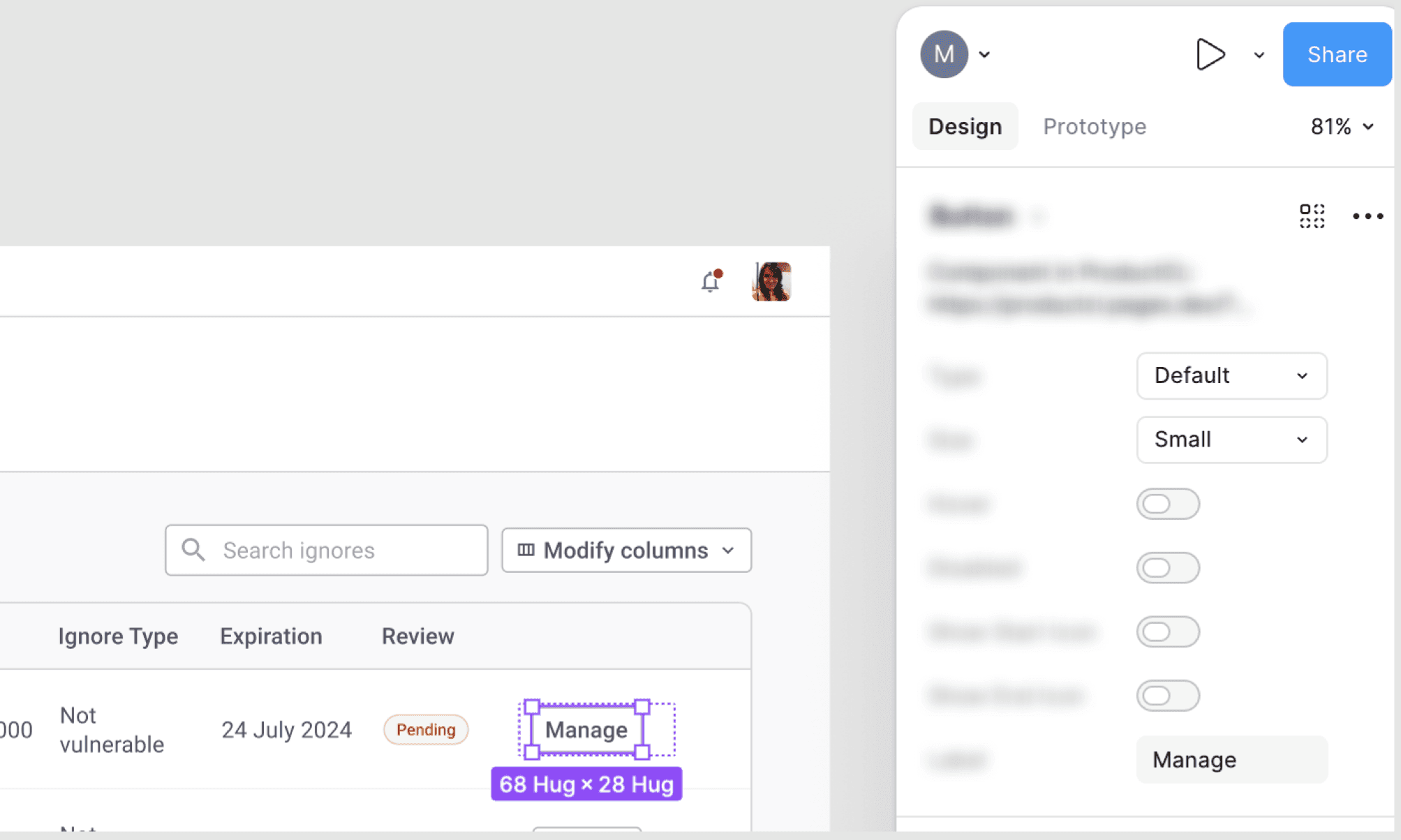
A focus state on one of the buttons, using exactly the variants created in the prototype
Next steps
These skills can be developed further for better collaboration and design support
1. Collaboration with engineering
Integrating these skills with engineering's own skills and agents, so prototypes and Figma designs flow straight into development.
2. Two-way synchronization
When the Figma file is updated, update the corresponding prototype, and vice versa.
3. More guardrails
If someone tries to change the prototype in a way that violates the design guidelines, prompt them and suggest alternatives.